


Last updated: 14 October 2026. Threats and rules change quickly. Some of the figures below are estimates from reports and analysts, and we say so. We rewrote this guide to cover both individuals and small businesses.
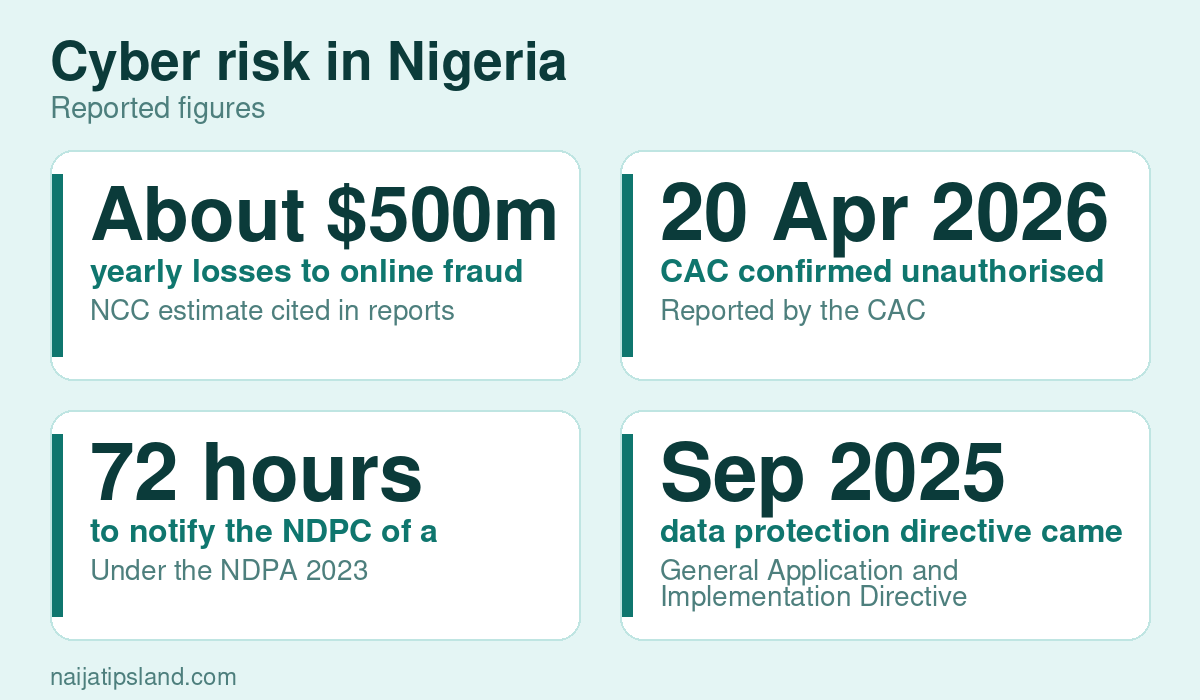
Cyber security means protecting your devices, accounts, money and data from criminals and accidents. In Nigeria, where mobile money, online banking and social media are part of daily life, a stolen password can empty an account within minutes. The Nigerian Communications Commission has estimated annual losses from online fraud at around $500 million, and another analysis put losses at about $3 billion between 2019 and 2025, though such estimates vary widely.
Why it matters more now
- More of life is online. Banking, shopping, work and government services depend on digital systems. See our guide to Nigeria’s digital economy.
- Organisations are targets. The Corporate Affairs Commission confirmed on 20 April 2026 that attackers had gained unauthorised access to parts of its systems, and analysts count large numbers of data breaches in Nigeria each quarter.
- Criminals use AI. Cloned voices and convincing fake messages make fraud easier. See our guide to fake news and deepfakes.
- The law expects care. The Nigeria Data Protection Act requires organisations to protect personal data and notify the regulator of breaches within 72 hours. See our guide on data privacy.
The main threats
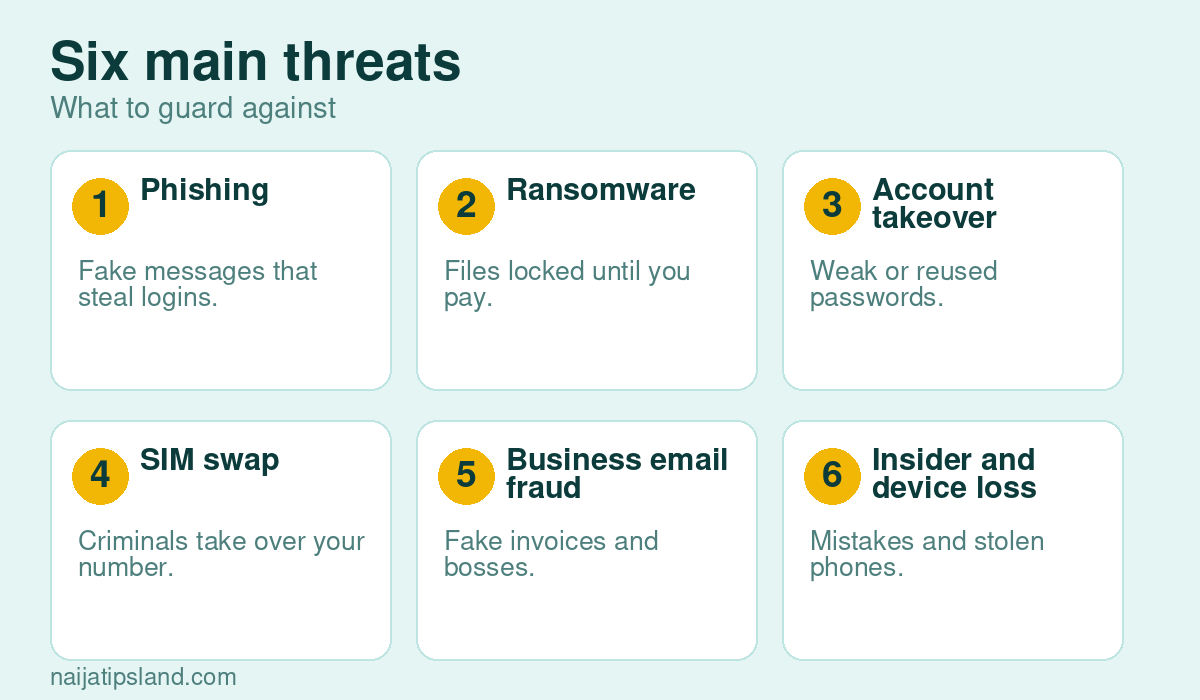
- Phishing and smishing: fake emails, texts or calls that trick you into giving logins, card details or OTPs.
- Account takeover: criminals use leaked or reused passwords to get into email, social media or banking.
- SIM swap: attackers persuade a network to move your number to their SIM so they can receive your OTPs. See our guide on SIM registration and replacement.
- Ransomware and malware: software that locks or steals files, often delivered through a bad attachment or pirated software.
- Business email compromise: a fake email from a “supplier” or “boss” changing bank details or demanding an urgent transfer.
- Lost or stolen devices and careless sharing, including phones without locks and shared passwords.
Protect yourself: a simple plan
- Use strong, unique passwords and a password manager if you can.
- Turn on two-step login for email, banking and social media, preferably with an authenticator app.
- Update your phone and apps, and install only from official stores.
- Never share OTPs, PINs or passwords. Banks do not ask for them.
- Check links and attachments before you click.
- Back up important files.
- Know what to do if something goes wrong: call your bank, change passwords, check your SIM, save evidence and report. See online safety tips and internet scams.
Protect a small business
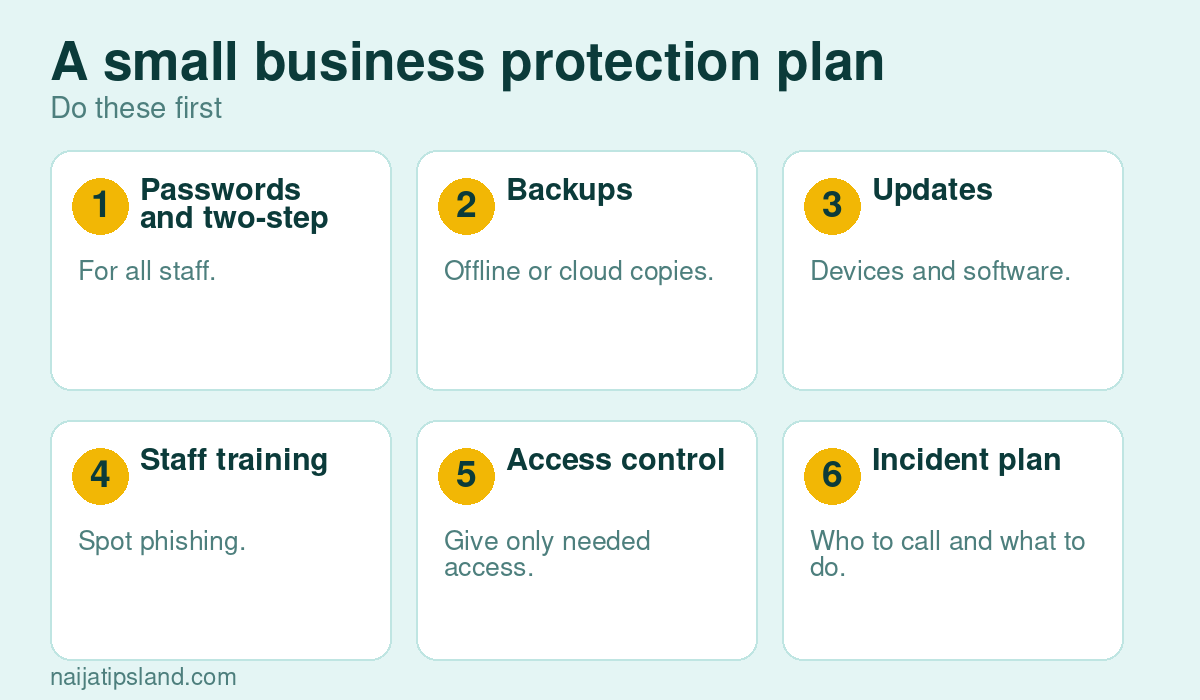
- Passwords and two-step login for every staff account, and remove access when staff leave.
- Backups stored separately, and tested from time to time.
- Software updates on all computers, phones and routers.
- Staff training on phishing and payment fraud. Make it a rule that bank detail changes are confirmed by phone.
- Limit access so people see only what they need.
- An incident plan: who to call, how to cut off access, how to tell customers and when to notify the data protection regulator.
- Know the law. See our guides on cybercrime laws and IT business ideas, including compliance services.
Building a career in cyber security
The World Economic Forum names networks and cybersecurity among the fastest-growing skills to 2030. Start with fundamentals in networking and operating systems, practise in safe labs, earn recognised certifications and build a portfolio. See our guides on skills in demand and the digital skills checklist.
Where to report
Report fraud to your bank and platform first, then to the EFCC or the police cybercrime unit. Organisations should also notify the NDPC when personal data is involved.
Basic Protection for Individuals
- Use unique passwords stored in a password manager, and turn on two-step login.
- Update your phone and apps regularly, and install apps only from official stores.
- Back up important files, and be careful with public Wi-Fi.
- Treat unexpected links and attachments as suspicious.
Protection for Small Businesses
- Limit who can access accounts and customer data, and remove access when staff leave.
- Train staff to recognise phishing, and agree what to do if something goes wrong.
- Keep software updated and take regular backups.
- Know your legal duties: under the Nigeria Data Protection Act, breaches must be reported within 72 hours. See data privacy.
If You Are Attacked
- Disconnect the affected device and change your passwords.
- Contact your bank if money or accounts are involved.
- Report to the police cybercrime unit and, where relevant, the data protection commission.
Read more in cybercrime laws and online safety tips.
Frequently Asked Questions
What is the most important cyber security habit?
Using unique passwords with two-step login on your email and banking accounts blocks most account takeovers.
Do small businesses need cyber security?
Yes. Criminals target small firms because they often have weaker protection.
What should I do if my phone is stolen?
Lock or wipe it remotely, tell your bank, ask your network to block the SIM, and change your passwords.