

Last updated: 16 October 2026 · By Naijatipsland Editorial Team · Editorial policy
A buyer sends a screenshot and an SMS saying you have been paid. You hand over the phone, the goods or the service, and later your account balance has not moved. This is the fake credit alert scam, and it catches market traders, online sellers, POS agents and individuals every day in Nigeria. Its cousin is the phishing SMS: a text that looks like it came from your bank, the CBN or a delivery company and leads you to a fake link where you give up your details. This guide explains how both work, how to check that a transfer is real, what the CBN and NITDA have warned about, and what to do if you have been caught. It is general information, not legal advice.
The short answer
- An SMS alert, email, WhatsApp message or screenshot is not proof of payment. Only the balance and history in your own bank app, or a confirmation from your bank through its official channels, is.
- Never act under pressure. “The transfer is already done” and “network is slow” are classic lines.
- Do not click links in SMS messages that claim to come from your bank, the CBN or a delivery firm. Go to the official app or website yourself.
- Never share your PIN, password, OTP or card details with anyone, including people who say they work at the bank.
How fake credit alerts work
Legit.ng reported in August 2026 that scammers use apps that generate fake transaction notifications showing a sender name, account number, amount, reference number and date. Others show a fake receipt or a “payment successful” page designed to look like a bank’s interface. Some skip the fake message and use social engineering, such as pretending to be bank staff or a customer with a “failed transfer”.
- The fake SMS or email alert. It looks like it came from your bank, but it did not. Banks warned in 2025 that depending on SMS or email notifications is “no longer sufficient”.
- The fake receipt or screenshot. Easy to edit, easy to stage. The buyer is already “at the bank” or “at the ATM”.
- The “failed transfer” story. A buyer claims the money was debited but did not arrive and asks you to send your PIN or OTP, or to “refund” an overpayment.
- The double alert. According to CIRE, a Nigerian fraud-prevention company, a scammer sends a small real transfer, for example N2,000, plus a forged alert for the rest, so the seller sees one genuine credit and assumes all of it arrived.
- The value-dated or pending credit. The credit shows as pending, so the money can still be cancelled before it clears.
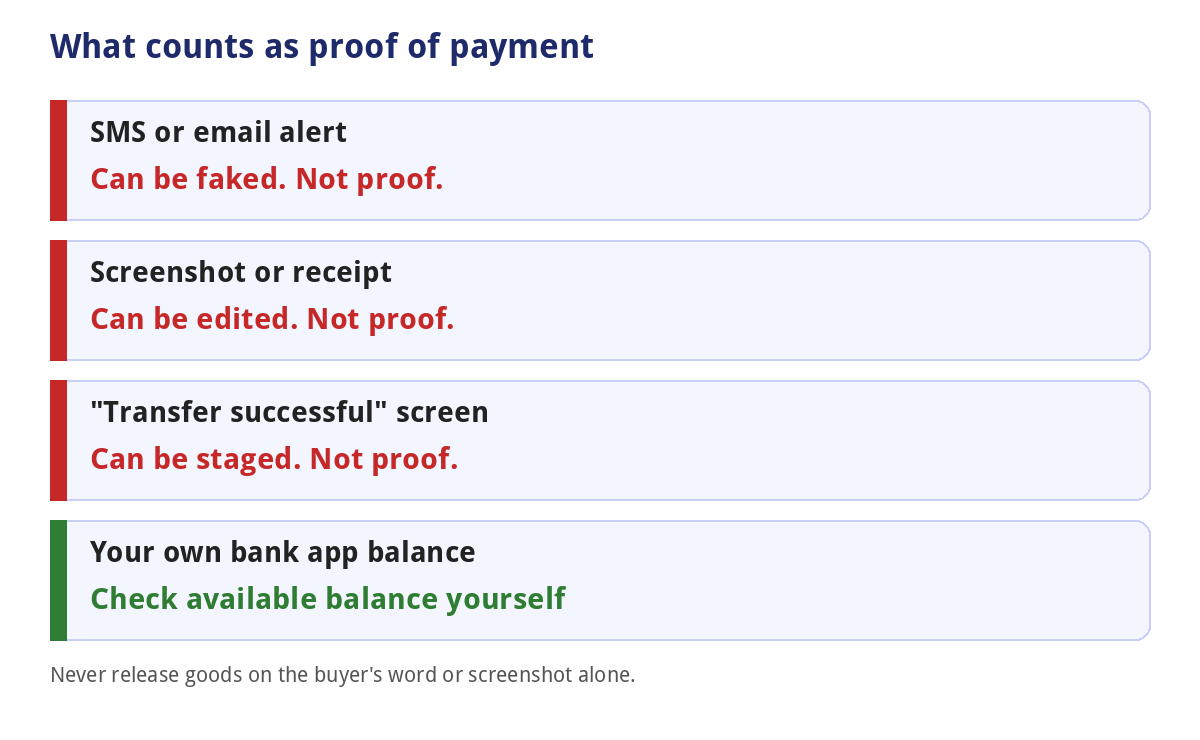
CIRE’s guide is also a marketing page for its own tools and gives some statistics without sources, so we have not used its numbers. Its basic advice matches what banks say: confirm the available balance in your own app.
How to check a transfer is real
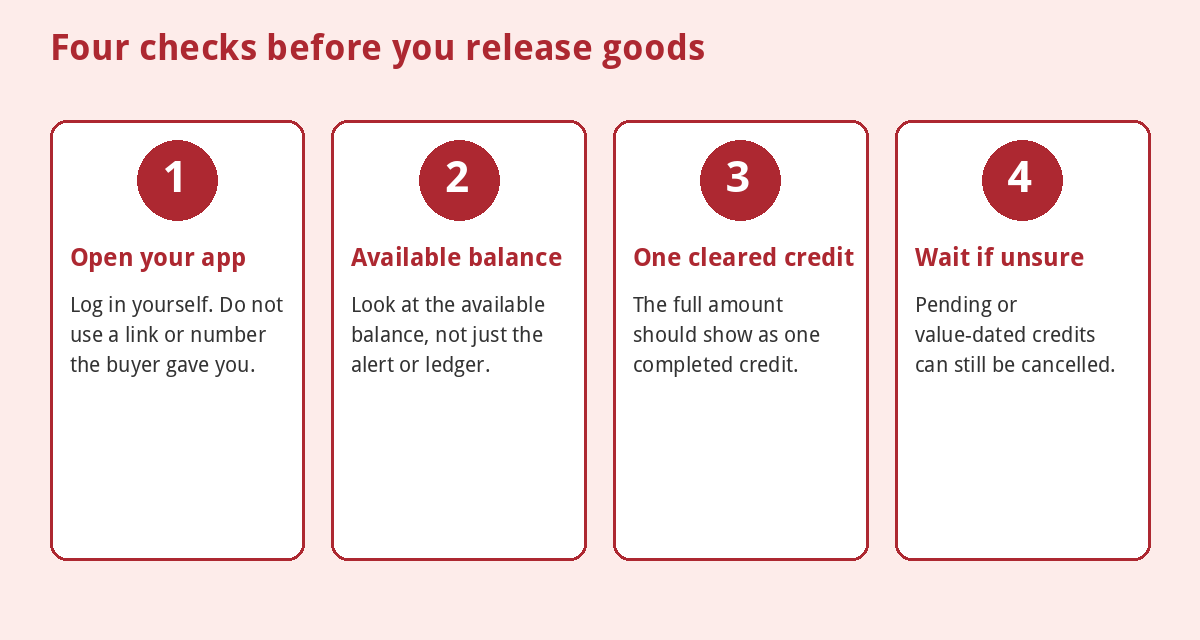
- Open your own banking app or use your bank’s USSD code. Access Bank, for example, told customers to confirm payments through its USSD code, internet banking or app before releasing goods. Do not use a link or number supplied by the buyer.
- Look at the available balance and the transaction history, not only the alert text or the ledger balance.
- Check that the full amount shows as one completed credit, not a small credit and a message.
- Treat “pending”, “processing” or future-dated credits as not paid. Wait until the status is final or call your bank on its official number.
- If you are unsure, wait. A real buyer can wait a few minutes. For high-value items, consider asking for the funds to clear fully, or use a payment method you trust.
- Do not release goods because the buyer “has the receipt”. Their receipt is not your balance.
If you are a POS agent, the same applies, and our guide to avoiding POS agent fraud covers the common tricks. For transfers you made that went to the wrong person, see recovering money sent to the wrong account. See also our guide to bank transfer charges so you recognise normal fees.
Phishing SMS: the fake message that leads to a fake page
NITDA, Nigeria’s IT regulator, describes smishing as phishing by text message: fraudulent texts that trick people into revealing sensitive information or downloading malicious software, often pretending to be banks, delivery services or government agencies. Its advice, in October 2024, was to be cautious with unsolicited messages, block the sender, avoid clicking links or replying with personal details, and contact the supposed sender through their official details.
The CBN warned on 21 April 2026 that fraudsters were sending emails, messages and links claiming to come from or be linked to the central bank, in order to get people’s sensitive personal and financial data. It told the public not to click suspicious or unsolicited links, not to give personal or banking details to unverified platforms, to check everything against its official channels (its website, cbn.gov.ng) and not to act on unconfirmed digital messages.
Common phishing messages
- “Your account will be blocked. Update your BVN or NIN now” with a link.
- “You have received a credit. Click to confirm.”
- “Your package could not be delivered. Pay a small fee.”
- “Claim your grant or refund”, often using a fake government name.
- “Unusual login detected. Verify your account.”
- A message that mentions the CBN governor, a licence or a new policy to seem credible.
Signs that an SMS or link is fake
- It creates urgency or threatens to block your account.
- It asks you to click a link, call a number in the message or reply with details.
- The sender is a random number or a name you do not recognise.
- The web address is slightly off, with an extra word, a different ending or a misspelling.
- Your bank asks for your PIN, password, OTP or full card number. Banks do not.
For BVN and NIN requests, see our guides to the BVN and NIN, and check status only through official channels.
What to do if you clicked or released the goods
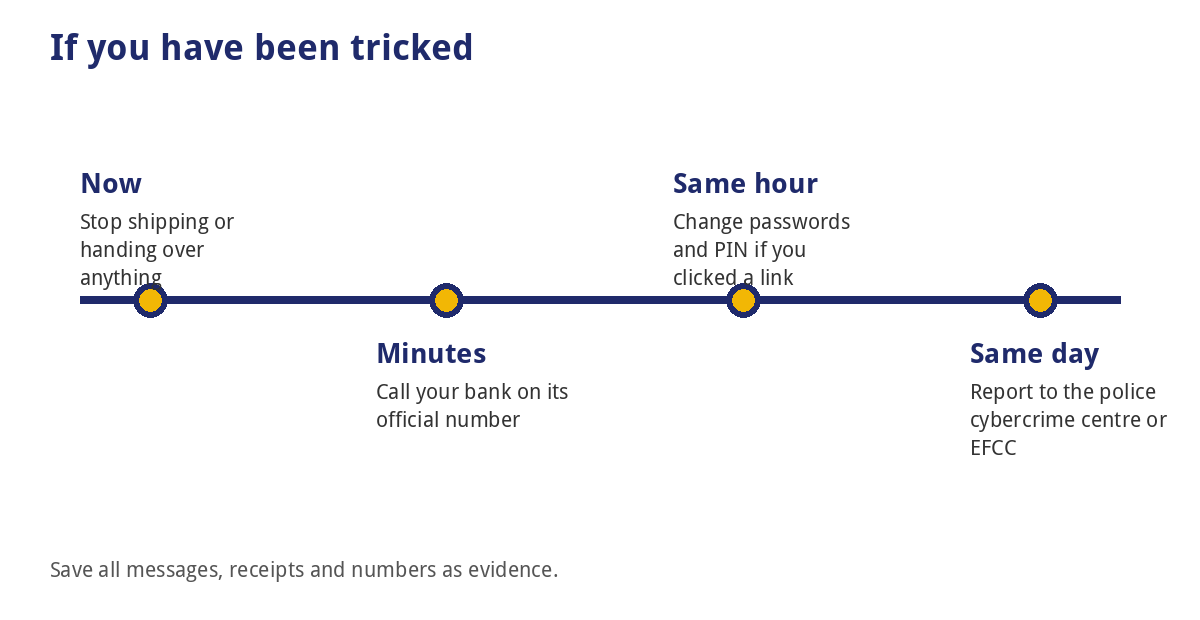
- Stop. Do not send anything more.
- Call your bank on its official number (on your card or in the official app) and report the fraud. If you shared a PIN, OTP or card details, ask them to secure the account and block your card.
- Change your passwords for banking, email and social media, and turn on two-step login.
- Save evidence: the message, the number, the link, screenshots, the buyer’s details and any account numbers.
- Report to the police and the EFCC. See our guide on how to report cybercrime in Nigeria for the order of reporting.
- Warn others in your market, group or platform.
For wider scams see internet scams, WhatsApp scams and online safety.
How big is the problem?
Legit.ng, citing the Nigeria Inter-Bank Settlement System (NIBSS), reported that digital payment fraud losses in Nigeria were N25.85 billion in 2025, down 51% from N52.26 billion in 2024, with about 67,518 cases in 2025 against 70,111 in 2024. It says social engineering, which means tricking people rather than hacking systems, remains the most common technique. Those are lower than before but still large, and the fraud depends on people acting before they check.
Common mistakes
- Releasing goods because of an SMS or screenshot.
- Checking the balance through a link or number the buyer gave you.
- Ignoring “pending” or ledger-only credits.
- Giving an OTP to someone who said they were sending money.
- Refunding an “overpayment” before the first payment clears.
- Clicking a link to “verify” a credit.
- Calling a number from the message instead of the bank’s own number.
Frequently asked questions
How do I know a credit alert is real?
Check your balance and transaction history in your own banking app, or confirm with your bank through an official channel. Do not rely on the alert text.
Is an SMS alert from my bank proof?
Not on its own. Banks have said SMS and email notifications are no longer enough, because they can be faked.
What is a smishing message?
Phishing by SMS: a text that tries to get you to click a link or give personal details.
Will my bank ever ask for my OTP?
No genuine bank staff member should ask for your PIN, password or OTP.
What if the credit is pending?
Treat it as unpaid until it is completed and shows in your available balance, and ask your bank if you are unsure.
Can I get my goods back?
Recovery is not guaranteed. Report quickly to your bank, the police and the EFCC, and keep all evidence.
Should I reply to a suspicious SMS?
No. Do not reply or click. Block the number and report the attempt.
Bottom line
A credit alert is a claim, not a payment. Check your own bank app before you release anything, ignore messages that rush you, and never click a link or share a PIN or OTP on the strength of a text. If you are caught, call the bank on its official number straight away and report it.
Sources
- Legit.ng: Fake bank alerts, how Nigerians can detect and avoid payment scams in 2026 (7 Aug 2026)
- Legit.ng: Fake credit alerts, banks warn customers (23 Jan 2025, updated 17 Jul 2025)
- Nigeria Housing Market: CBN warns Nigerians over fraudulent links targeting bank accounts (22 Apr 2026)
- Technology Times: NITDA alerts Nigerians about smishing (9 Oct 2024)
- CIRE: Advanced fake bank alert tactics (21 May 2026) (commercial fraud-prevention company; statistics unsourced and not used)
Join the discussion
Have you tried this, or do you have a question we did not answer? 4 readers have already shared their views. Naijatipsland members help each other with real, first-hand experience.







A simple rule for traders: check your balance in your own bank app before releasing goods, never through a link or number the buyer gives you. Have you ever been sent a fake alert, and how did you spot it?
Fraud losses fell to about ₦25.85 billion in 2025, roughly half the 2024 figure, but social engineering is still the most common trick. Why do you think so many people still fall for these messages?
An SMS, email or screenshot is not proof of payment; only the balance and history in your own bank app is. Have you ever nearly released goods against a fake alert?
Legit.ng reported in August 2026 that scammers use apps that generate fake transaction notifications. If you run a business, what’s your rule before you hand over goods?