
How to Recover a Hacked Facebook or WhatsApp Account (2026 Guide for Nigerians)

Last updated: 8 November 2026 · By Naijatipsland Editorial Team · Editorial policy
You open WhatsApp and it asks you to register again. Or a friend messages you to say you have been asking everyone for airtime. Or Facebook says your password has changed and you did not change it. Whichever it is, the first hour matters. This guide, written from the UK for Nigerians at home and abroad, walks through exactly what to do to take back a hacked Facebook or WhatsApp account, how to lock it down afterwards, and who to report it to in Nigeria. Menus change between app versions, so where we give a path, treat it as a guide and follow what your own app shows.
The short answer
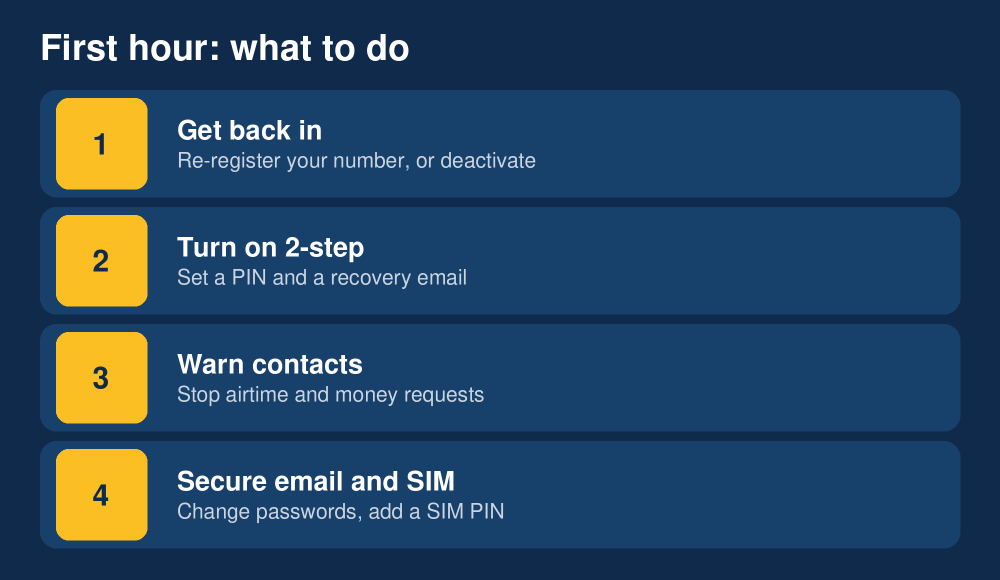
Do four things, in this order: (1) stop the hacker by getting back in or by deactivating the account, (2) switch on two-step verification, (3) warn your contacts so nobody sends money, and (4) tighten the other accounts tied to the same phone number and email. Never share a six-digit code with anyone, whoever they claim to be.
Is it really hacked? Common signs
On WhatsApp the usual sign is being logged out and asked to verify your number again, plus an SMS code you never requested. Messages you did not send, unknown devices under Linked Devices, or contacts telling you that you asked them for money are all red flags. On Facebook, watch for a password-change or new-login email, posts or messages you did not write, a changed email address or phone number on the account, or being locked out completely.
Most WhatsApp takeovers in Nigeria do not involve clever hacking. They start with a trick: someone, often a hacked friend, asks you to forward a code that was texted to you, saying it was sent to you by mistake. That code is your account. Our guide to the common WhatsApp scams in Nigeria covers the other scripts scammers use.
How to recover a hacked WhatsApp account
These steps follow WhatsApp’s own guidance on a compromised account.
- Re-register your number. Install or open WhatsApp, enter your phone number and request the six-digit SMS code. Entering it on your phone logs the other person out, because a number can be active on only one phone at a time (linked devices aside).
- If you are asked for a two-step verification PIN you did not set, the hacker has turned it on. WhatsApp will make you wait before you can reset it, up to seven days if there was no recovery email. Do not create a new account on the same number during that wait.
- Once you are back in, switch on two-step verification: Settings, Account, Two-step verification, then set a six-digit PIN and add a recovery email you control.
- Remove unknown devices: Settings, Linked devices. Log out of any session you do not recognise.
- Tell your contacts immediately, by call, a status update or another number, that your account was compromised and they must ignore money or airtime requests from it.
- If you cannot get back in, email WhatsApp support at support@whatsapp.com with the subject line “Lost/Stolen: Please deactivate my account”, your full phone number in international format (for Nigeria, +234 followed by the number without the leading zero) and a short statement that you no longer have access. A deactivated account can be reactivated only by you, within 30 days, by re-registering your number.
- Call your network provider if you suspect your SIM has been swapped or cloned (see below), because a hacker who controls the SIM receives your codes.
How to recover a hacked Facebook account
- Use Facebook’s official recovery pages only: facebook.com/hacked for a hijacked account, or facebook.com/login/identify to find your account by email, phone number or name. Type the address yourself; do not click links in messages claiming to be “Facebook Security”.
- Check your email for a security message. If Facebook emailed you that your email address was changed, the email has a link to reverse the change and secure the account. Act on it quickly, as that option can expire.
- Reset your password to a long, unique one that you have never used elsewhere, and choose the option to log out of other devices.
- Review where you are logged in: Settings, Accounts Centre, Password and security, Where you’re logged in. Log out of sessions you do not recognise.
- Check email, phone number and recovery details in Accounts Centre, and remove anything that is not yours.
- Remove apps and pages you do not recognise and check that nobody has been added as an admin of your pages or ad accounts.
- If recovery fails, follow the identity-check route offered on the recovery page. In some cases Meta asks for ID or a video selfie to prove you are the owner. Use only the in-app or facebook.com flow for this, never a person who messages you offering to “recover” it for a fee.
Lock it down afterwards
Recovering the account is half the job. Close the door the hacker used.
- Turn on two-step or two-factor authentication on every account. Prefer an authenticator app or security key over SMS where the service offers it.
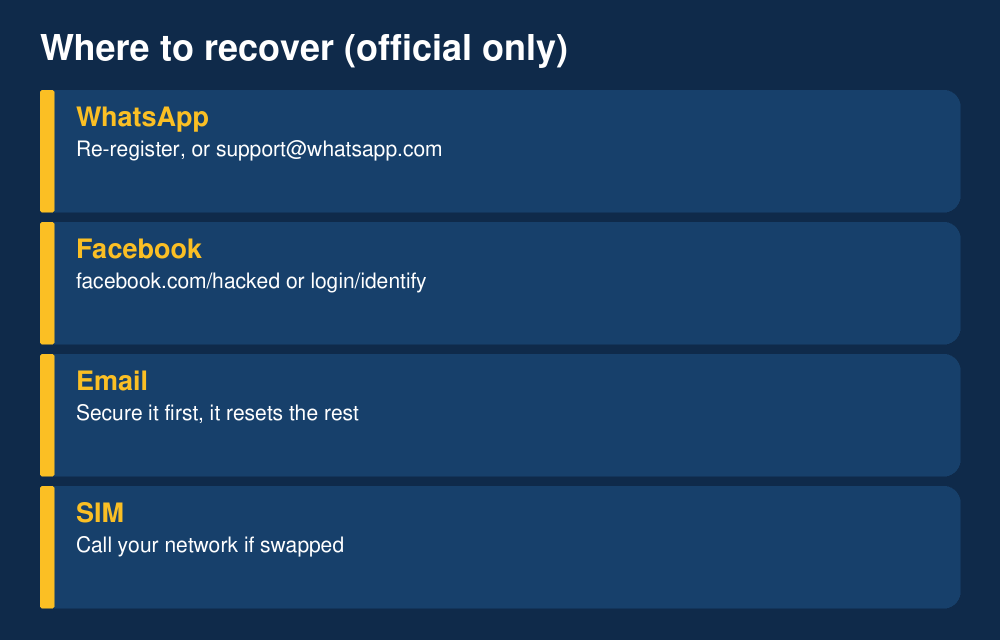
- Change the password on your email first. Your email can reset almost everything else, so secure it before anything else, and make it unique.
- Use a password manager so every account has its own long password.
- Never reuse the WhatsApp or Facebook password on another site, and check whether your email appears in a known breach at haveibeenpwned.com.
- Add a SIM PIN and talk to your network about SIM-swap protection. Our guide to SIM swap safety in Nigeria explains what to ask for.
- Do not log in through links in messages. Open the app or type the website address yourself.
If money was requested or lost
If anyone sent money to the hacker on your behalf, ask them to contact their bank straight away, keep screenshots of the chat and transfer details, and report it. Banks can sometimes flag or hold a receiving account if they are told quickly. If your own bank app or card may have been exposed, call your bank on its official number, change your PIN and passwords and ask about freezing the account. Do not use numbers sent by text.
Who to report it to in Nigeria
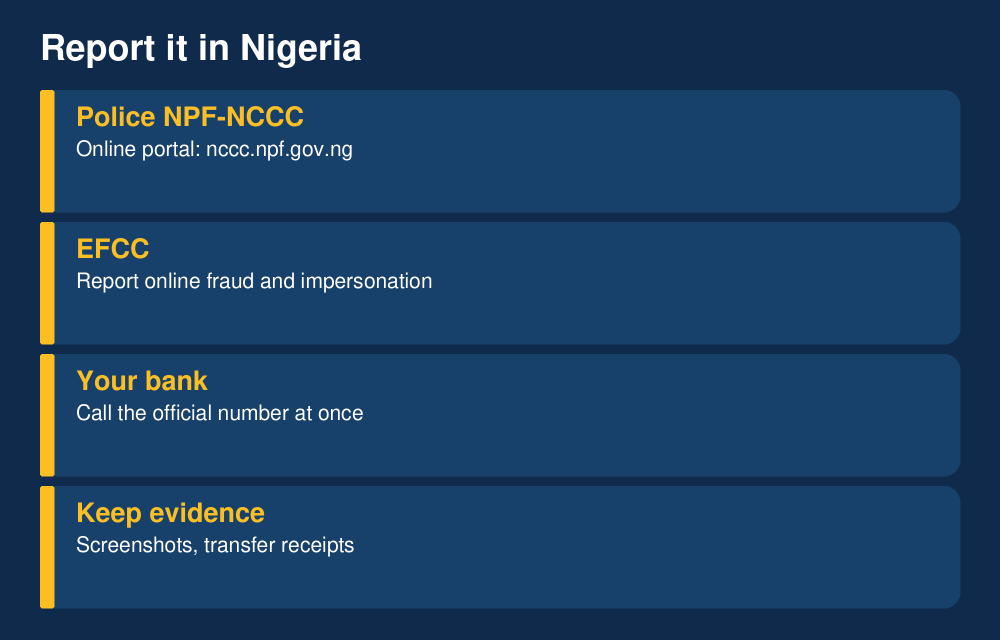
You can report cybercrime to the Nigeria Police Force National Cybercrime Centre (NPF-NCCC) through its online reporting portal at nccc.npf.gov.ng, or at a police station, and you can report fraud to the EFCC. Our step-by-step guide to how to report cybercrime in Nigeria explains each route, what evidence to keep and what to expect. If you live abroad, also report to your local authority, such as Action Fraud in the UK. Reporting does not guarantee recovery, but it creates a record that helps your bank and any investigation.
Beware of fake recovery agents
Anyone who contacts you offering to recover your account for a fee, or who asks for a code, a password or access to your phone, is almost certainly a scammer. Neither WhatsApp nor Facebook recovers accounts through private individuals on social media or Telegram. Recovery is free and done through the official routes above.
Related guide (updated 8 Nov 2026)
How to track, lock or block a lost or stolen phone using IMEI in Nigeria explains how to find your IMEI, what the NCC can block and which tracking offers are scams.
FAQ
Can I recover a hacked WhatsApp account without my SIM?
Not directly. WhatsApp sends its code to your number, so you need control of the SIM. Contact your network provider to restore the SIM using your NIN-registered details, then register again. If you cannot, email WhatsApp support to deactivate the account.
Will the hacker see my old chats?
Once you re-register, the hacker is logged out of the primary session and chat history on their device is not restored from yours. Chats are stored on your phone and in any backup you made, so anything the hacker saw while logged in has been seen. Treat anything sensitive in those chats as exposed and change related passwords.
How do I know if someone is reading my WhatsApp?
Check Settings, Linked devices for sessions you did not authorise, and make sure no “WhatsApp Web” session is active that you did not start. Log out of all of them and turn on two-step verification.
How long does Facebook account recovery take?
It varies. Resetting through your email can take minutes. Identity-check cases can take days. Keep your recovery email and phone number current so you can use the quick route next time.
Is it safe to scan a QR code someone sends me?
No. A QR code that links your WhatsApp to someone else’s device gives them full access. Only scan codes you generated yourself, on your own devices.
Does a hacked account mean my bank account is at risk?
Not automatically, but a hacker who controls your SIM or email may be able to reset other accounts, including banking. Contact your bank if you see anything suspicious and secure your email and SIM first.
This guide is general information, not legal or financial advice. If you have lost money, speak to your bank and the authorities. Last updated 8 November 2026. Rules and menus can change, so check the official WhatsApp and Facebook help pages.
Join the discussion
Have you tried this, or do you have a question we did not answer? 1 reader has already shared their view. Naijatipsland members help each other with real, first-hand experience.






If you were hacked, start with the SMS code and the two-step PIN, not with a stranger offering to help. If you spot a step that has changed in your app, tell us below. Ade Adeniyi