
How to Protect Your Phone and Bank Apps From Hackers in Nigeria (2026): SIM Swaps, Fake Apps and New CBN Rules

Last updated 18 November 2026. Rules, limits and scam methods change, so check your own bank’s app or website for the latest.
Most people who lose money through a Nigerian bank app were not beaten by a clever hacker. They were talked into reading out a code, they installed an app that looked harmless, or they lost control of their phone number. That is useful news, because the fixes are mostly habits you can start today plus a few settings your bank already offers.
This guide draws on the latest NIBSS fraud figures, the CBN’s 2026 rules for mobile banking apps, the CBN and NCC pact on SIM swaps, and warnings that Wema Bank and Fidelity Bank published this year. It is general advice and does not replace your bank’s instructions. I have left out USSD codes on purpose, because they differ by bank and change. Use only the codes and phone numbers printed in your bank’s app, on your card or on its official website.
What the 2025 fraud numbers show
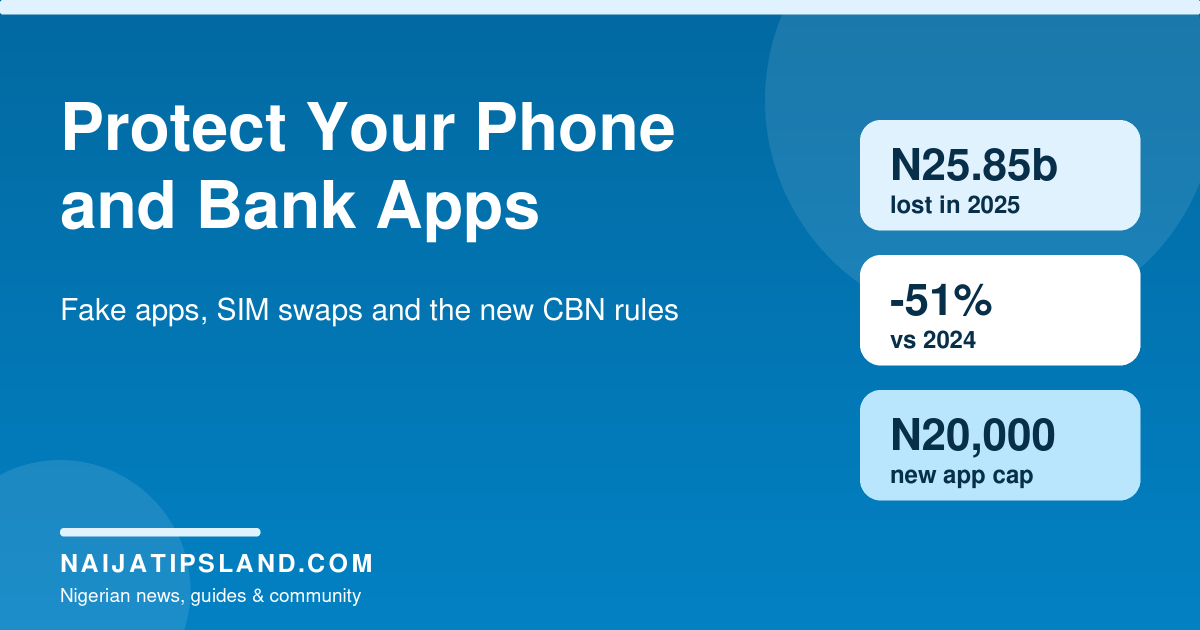
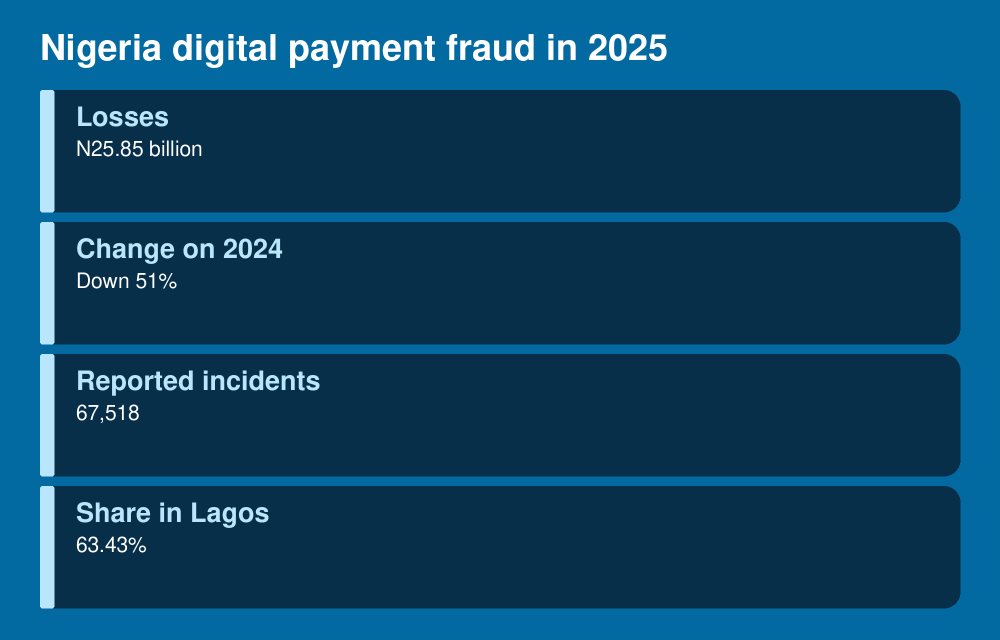
NIBSS chief executive Premier Oiwoh told a CBN fraud forum in January 2026 that digital payment fraud losses fell 51 per cent, from N52.26 billion in 2024 to N25.85 billion in 2025. The 2024 total was inflated by one N31.1 billion incident involving a single entity, so the fall looks bigger than any everyday improvement.
The number of reported incidents tells a different story. It dropped only 4 per cent, from 70,111 to 67,518. Lagos accounted for 63.43 per cent of fraud activity. E-commerce and internet banking were the most affected channels, followed by point-of-sale, mobile and web platforms, and NIBSS named social engineering, including insider abuse, as the main method. The Person of Interest Portal, built by NIBSS with the CBN, the NFIU and security agencies, now lists 13,417 people linked to fraud since 2019.
The practical reading is simple. Banks are catching more of the large attacks, but the same number of ordinary customers are still being targeted.
How phones and bank apps get broken into
Fake apps and remote access malware
Wema Bank warned customers on 16 July 2026 about fake apps, and Fidelity Bank issued a similar warning on 30 July about remote access trojans. Both describe the same route. Criminals place fake adverts, pop-ups and links on social media, websites and messaging apps. The apps pretend to be sports betting and live-score tools, streaming platforms, phone cleaners and optimisers, bank support apps or system updates.
Once installed, this kind of malware can give an attacker control of the phone. According to the two banks, it can capture logins and PINs, intercept text messages and one-time passwords, watch what you do and send transfers. Wema adds that transfers can go out through your registered mobile banking profile even without a change of device.
SIM swap
In a SIM swap, a criminal gets a replacement SIM for your number so the one-time passwords land on their phone. On 20 April 2026 the CBN and the NCC signed an agreement to set up a Telecom Identity Risk Management System. Banks will be able to check whether a number linked to a transaction was recently swapped, reassigned, flagged or left inactive, and to hold or block risky payments. Reports of the agreement gave no rollout date, so do not assume every bank is already using it.
Social engineering
A caller or message claims to be from your bank, your network or a government agency and asks for a PIN, token, OTP or BVN. No genuine bank agent needs your PIN or a one-time code to help you. NIBSS says insider abuse is now the biggest single threat on the banking side, which is one more reason to keep codes to yourself even when the person on the line sounds well informed.
New CBN rules that work in your favour
A CBN circular dated 12 March 2026 set a compliance deadline of 1 July 2026 for banks and payment providers. As reported by TechCabal, it requires:
- liveness checks and real-time validation against the BVN or NIN database when an account is opened or reactivated;
- device binding, so a customer’s mobile banking app is active on one device at a time;
- extra authentication when the app moves to a new phone, and multi-factor authentication on the first internet banking login from a new device;
- real-time monitoring for suspicious money coming in and going out;
- a N20,000 cap on inflows and outflows for the first 24 hours after a mobile banking app is newly activated.
Customers can also opt out of instant transfers and adjust their own transaction limits, subject to authentication. The existing ceilings are N25 million for individuals and N250 million for corporate accounts. In practice, extra verification steps when you change phones are the rule working as intended. A verification request you did not start is a warning that someone else is trying to open your account on their device.
Steps that protect your phone and your money
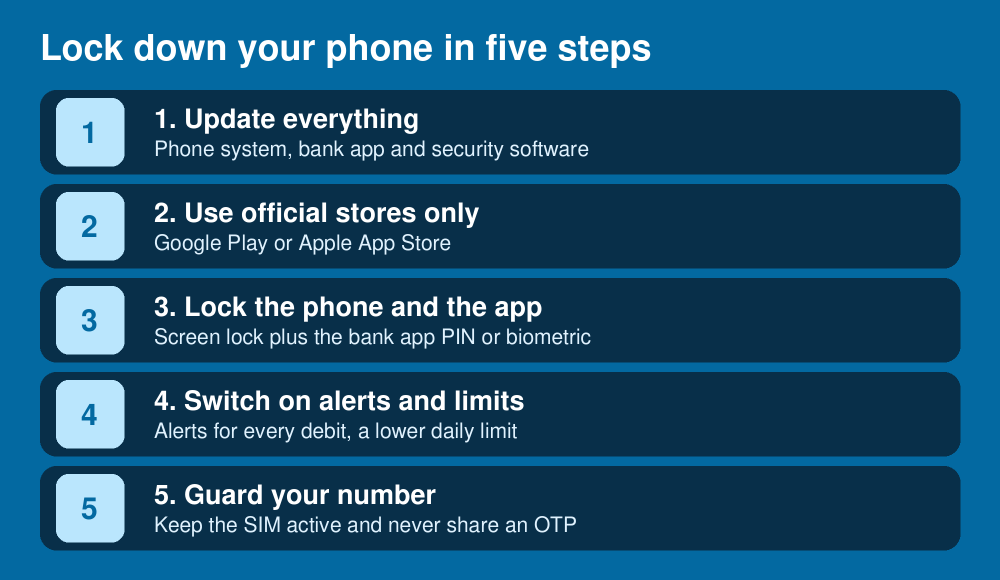
- Install banking apps only from Google Play or the Apple App Store and check that the developer name matches your bank.
- Never install an app from a link in WhatsApp, Telegram, a text message, an email or a pop-up, including prompts that say your phone needs an update.
- Keep the phone’s system, your bank app and your security software up to date. Leave Google Play Protect switched on if you use Android.
- Use a screen lock, and turn on the bank app’s own PIN or fingerprint lock. Do not hand over the phone while it is unlocked.
- Delete apps you do not use, especially betting, live-score, streaming and cleaner apps from unknown developers.
- Turn on alerts for every debit and read them the same day.
- Lower your daily transfer limit through the app or at a branch, and opt out of instant transfers if you rarely use them.
- Never read out an OTP, token, PIN or BVN to someone who called you, whatever name they give.
- Protect the email account linked to your bank profile with a strong, separate password and two-step verification.
Protect your SIM and phone number
Your phone number is the key to most bank approvals, so treat it like a card. Keep the number you use for banking active, because lines left inactive can be flagged or reassigned. If your phone loses signal for no clear reason and does not recover, call your network from another phone and then call your bank. A sudden loss of signal can be an early sign of a swap, although it is often just a network fault, so check before you panic.
If you lose the handset itself, our guide on how to track, lock or block a lost or stolen phone using IMEI covers what to do. If you have trouble proving who you are to your network, the guide on how to retrieve a lost NIN may help.
If you think you have been hacked
Speed counts. Under the CBN’s anti-fraud push, the industry has agreed to cut fraud response times to under 30 minutes, and ThisDay reports that banks are also expected to run 24-hour fraud desks. Your report starts that clock.
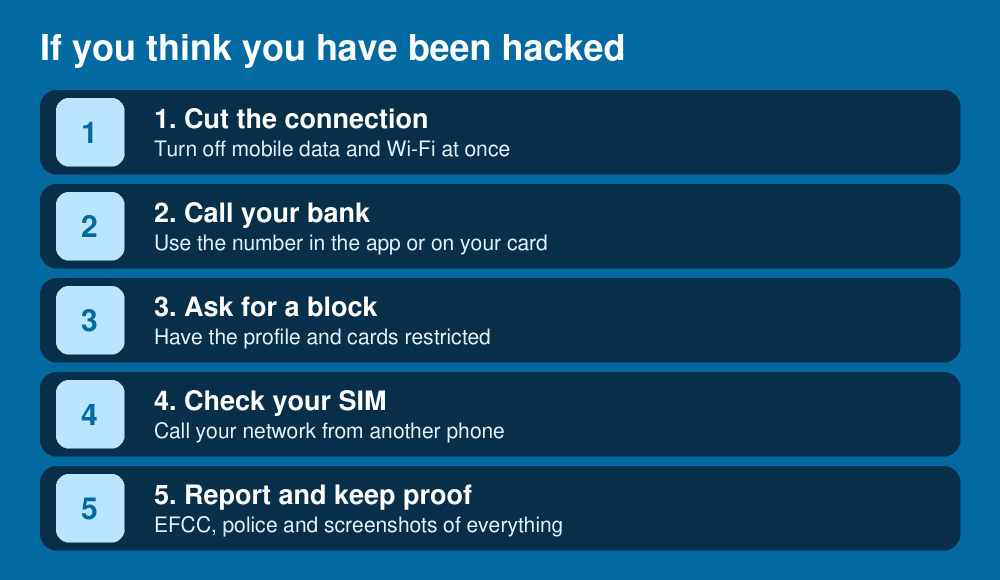
Disconnect the phone from the internet first, as both Wema and Fidelity advise. Then call your bank on the number in its official app or on your card, not a number from a text message. Ask for the profile and cards to be restricted, and write down the time of the call and the name of the person you spoke to. Call your network from another phone to check the SIM. Report the incident to the EFCC through efcc.gov.ng and to the police, and keep screenshots of messages, alerts and any app you installed. If your bank does not resolve the complaint, you can take it to the CBN’s consumer protection department through cbn.gov.ng. The NCC has a toll-free line, 622, for unresolved complaints against telecom operators; confirm it on ncc.gov.ng before you rely on it, since I found it in older NCC material.
NIBSS has called non-reporting “unacceptable”, because fraudsters move between institutions when incidents go unreported. Reporting protects other people as well as you.
More on staying safe with money
Scammers use the same tricks everywhere. See our guides on the fake free government grant links, task-and-earn apps and the wider personal finance hub for more ways to avoid losing money.
FAQ
Can my bank app be hacked in Nigeria?
Yes. The usual route is a fake app, a stolen OTP or a swapped SIM rather than a break into the bank’s own system. Device binding and the other CBN rules make it harder, but they do not help if you hand over a code.
What should I do if I get an OTP I did not request?
Do not share it or click anything. It may mean someone is trying to log in as you. Change your app PIN, check your recent transactions and tell your bank.
Will my bank refund me?
There is no automatic guarantee. The CBN has named consumer reimbursement frameworks as a priority but I could not find published details, so report quickly and keep your evidence.
Is it safe to bank on public Wi-Fi?
It is safer to use your own mobile data. Public networks make it easier for others to interfere with what your phone sends, and a fake hotspot can look genuine.
Why does my app limit me to N20,000 on a new phone?
Under the CBN circular that took effect on 1 July 2026, a newly activated mobile banking app is capped at N20,000 in and out for the first 24 hours. The cap protects you if someone else activates your account on their device.
Sources
- ThisDay: CBN urges banks to ensure fraud reduction, enforce 30-minute response rule (22 January 2026)
- The Guardian: Digital payment fraud drops 51% to N25.85b, Lagos accounts for 63%
- TechCabal: CBN mandates liveness checks and device limits to fight digital banking fraud (March 2026)
- The Conclave: CBN and NCC sign data pact to block SIM swap fraud (April 2026)
- bne IntelliNews: Nigeria launches identity risk management system to curb SIM swap fraud (23 April 2026)
- Premium Times: Wema Bank warns customers over fake apps targeting banking details (16 July 2026)
- Techeconomy: Fidelity Bank warns customers over remote access trojan malware (30 July 2026)
- Economic and Financial Crimes Commission (EFCC)
- Central Bank of Nigeria (CBN)
Join the discussion
Have you tried this, or do you have a question we did not answer? 1 reader has already shared their view. Naijatipsland members help each other with real, first-hand experience.





Editor note: have you received a fake bank alert, a strange OTP or a link asking you to install an app? Tell us what it looked like in the comments, with any account details removed, so other readers can spot the same trick. We read every comment. – Ade