
Best Laptops for Students in Nigeria Under ₦500,000 (November 2026): Prices, Specs and What to Check Before You Pay

Last updated: 12 November 2026 · By Naijatipsland Editorial Team · Editorial policy
A laptop is now part of the basic kit for most Nigerian university and polytechnic students. Assignments are typed, course materials come as PDFs, many schools run portals and online tests, and anyone studying a tech-related course needs one from the first semester. The problem is price: new mid-range laptops in Nigeria now commonly cost ₦600,000 to ₦800,000 or more, and many families have a budget of about ₦500,000.
The good news is that ₦500,000 still buys a capable machine in November 2026, if you know what to look for. This guide covers real prices from Nigerian sellers this month, the specifications that matter, the Windows 11 check most buyers miss, and how to avoid being sold a dud.
The short answer
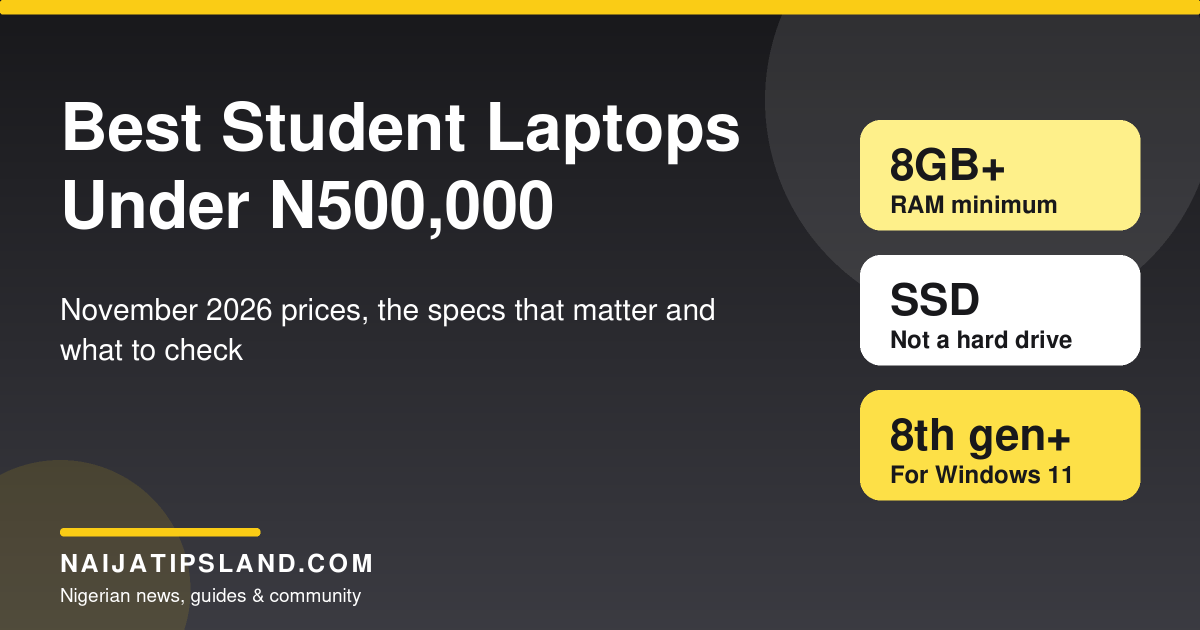
At this budget, a good UK-used or US-used business laptop (HP EliteBook or ProBook, Dell Latitude, Lenovo ThinkPad) usually beats a new budget consumer laptop. Business laptops were built for offices that keep machines for years: sturdier bodies, better keyboards, replaceable parts and generally better screens. Aim for:
- An Intel Core i5 (8th generation or newer) or AMD Ryzen 5
- 8GB of RAM at minimum, 16GB if you can
- A solid-state drive (SSD) of 256GB or more, never an old spinning hard drive
- A battery in good health, and a seller who gives a written warranty
What ₦500,000 buys right now
These are listings from Nigerian retailers in early November 2026. Prices change with the exchange rate and stock, and the same model can vary by tens of thousands of naira between sellers, so use them as a guide rather than a quote.
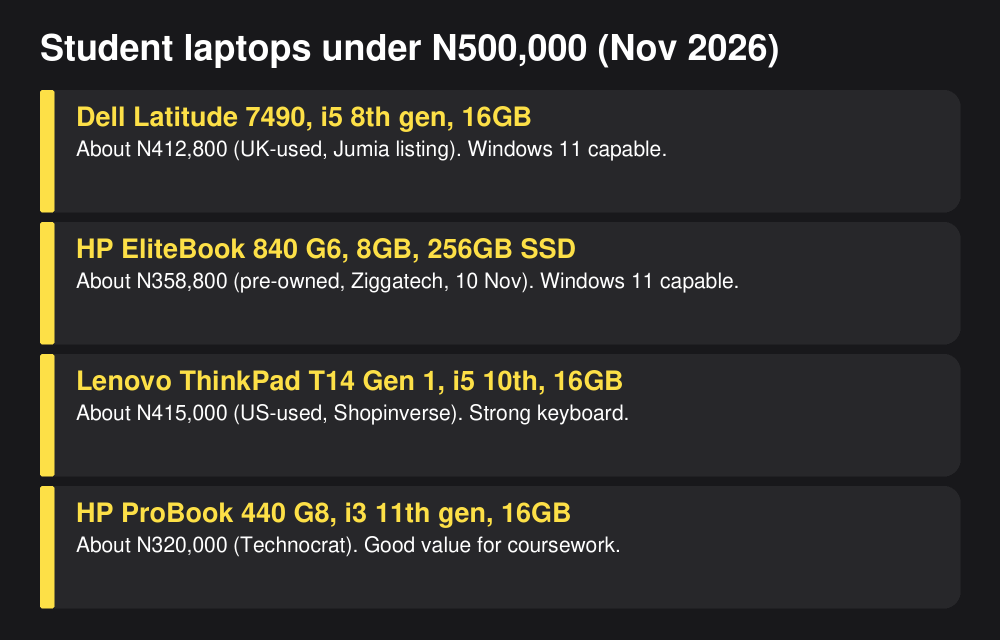
- HP ProBook 440 G8 (Core i3 11th gen, 16GB RAM, 256GB SSD): about ₦320,000 at Technocrat. A sensible, affordable choice for typing, research and online classes.
- HP EliteBook 840 G6 (14-inch, 8GB, 256GB SSD): about ₦358,800 pre-owned at Ziggatech on 10 November, with a three-month warranty.
- Dell Latitude 7490 (Core i5, 16GB, 256GB SSD): about ₦412,800 on a Jumia listing. A long-time favourite with students.
- Lenovo ThinkPad T14 Gen 1 (Core i5 10th gen, 16GB, 256GB SSD, Full HD): about ₦415,000 at Shopinverse. One of the best keyboards at this price.
- Lenovo ThinkPad T14s (AMD Ryzen 7 Pro, 16GB, 256GB SSD): about ₦415,000 at Shopinverse. Strong performance for coding and multitasking.
- Dell Latitude 7320 (13.3-inch, 16GB, 256GB SSD): about ₦432,750 pre-owned at Ziggatech. Light and portable for students who move between lectures.
- HP EliteBook 840 G7 (Core i5 10th gen, 16GB, 256GB SSD): about ₦435,000 at Shopinverse.
- HP ProBook 640 G8 (Core i5 11th gen, 8GB, 256GB SSD): about ₦452,000 at Shopinverse.
New laptops are thinner on the ground at this price. Brand-new HP 14 models with an Intel Pentium N6000 processor, 8GB RAM and a 512GB SSD were listed on Jumia from about ₦495,500. They are fine for typing and browsing but noticeably slower than a used Core i5 business laptop at the same price. New Core i5 consumer laptops (HP Pavilion, Lenovo IdeaPad, Dell Inspiron) were widely reported at ₦620,000 to ₦720,000 this year.
The Windows 11 check most buyers miss
This is the single most important check for a used laptop in 2026. Microsoft ended mainstream support for Windows 10 on 14 October 2025. Home users could enrol in a consumer Extended Security Updates (ESU) programme to keep getting security fixes, and reports in mid-2026 said Microsoft extended that programme to 12 October 2027. Either way, Windows 10 is running out of road.
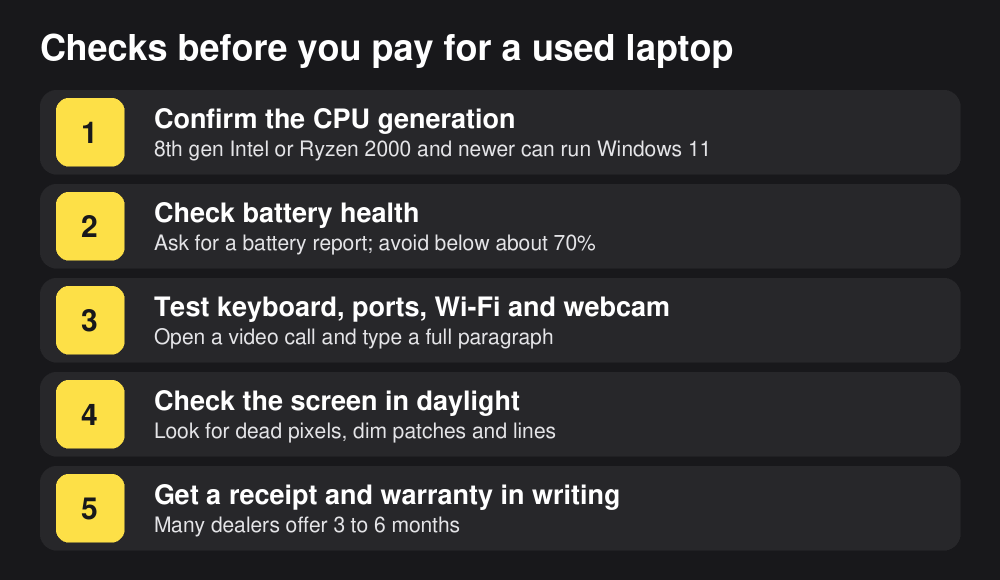
Windows 11 officially needs an Intel Core 8th generation or newer processor (or AMD Ryzen 2000 series or newer), TPM 2.0 and Secure Boot. That means many cheap laptops on the market, such as the Dell Latitude E7470 (6th gen) and older 4th to 7th generation EliteBooks and ThinkPads, cannot officially run Windows 11. They still work, but you will be stuck on an operating system that is losing security updates, which matters for school portals, banking and email.
How to check: read the processor in the listing. An “i5-8350U” is 8th generation; an “i5-7300U” is 7th generation; a “10th gen” or “11th gen” in the title is fine. When you see the laptop in person, open Settings, then System, then About, and check that it is running Windows 11 or that Microsoft’s free PC Health Check app says it can.
How much power does your course need?
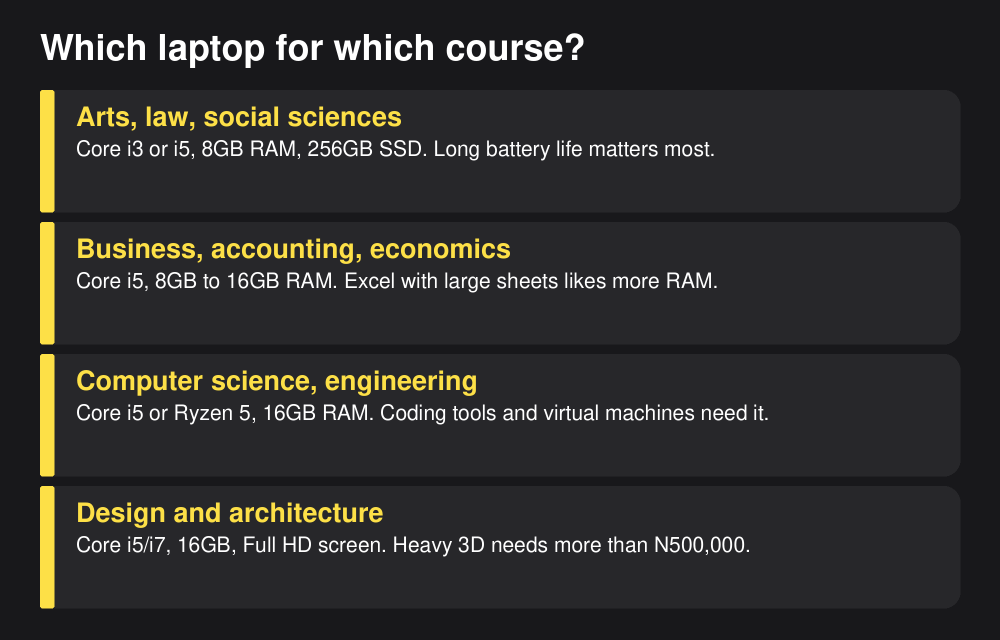
- Arts, humanities, law and social sciences: Core i3 or i5, 8GB RAM and a 256GB SSD are enough. Prioritise battery life and a comfortable keyboard. Around ₦300,000 to ₦400,000 is realistic.
- Business, accounting and economics: Core i5 with 8GB to 16GB RAM. Large Excel sheets, statistics packages and many browser tabs benefit from 16GB.
- Computer science, software engineering and data: Core i5 or Ryzen 5 with 16GB RAM. Code editors, emulators and virtual machines are memory-hungry. A ThinkPad T14 or T14s, or an EliteBook 840 G7, is a good fit.
- Engineering, design and architecture: 16GB RAM and a Full HD screen are the minimum. Heavy 3D modelling and rendering software really needs a dedicated graphics card, which usually means spending well above ₦500,000. For first-year coursework, a strong business laptop will do.
Specs that matter, in plain English
- Processor (CPU): the brain of the laptop. A newer generation matters more than i5 versus i7. A 10th-gen i5 usually beats an old 6th-gen i7.
- RAM: how many things the laptop can do at once. 4GB is too little in 2026. 8GB is the minimum; 16GB is comfortable for years.
- Storage: always choose an SSD. It makes the laptop start in seconds and feel far faster than a hard drive. 256GB is fine if you keep files in cloud storage; 512GB is better.
- Screen: Full HD (1920 x 1080) is much easier on the eyes for long reading sessions than the cheaper 1366 x 768 panels.
- Battery: with power cuts common in many campuses and hostels, battery health matters. A power bank that supports laptop charging (USB-C) is a useful backup; see our guide to power banks in Nigeria.
- Chromebooks: very cheap used Chromebooks are sold for ₦45,000 to ₦95,000. Check the model’s update expiry date before buying, and remember many Nigerian school portals and exam tools expect Windows.
How to avoid buying a bad laptop
The used laptop market in Nigeria has excellent dealers and some bad ones. Protect yourself:
- Buy from sellers with a physical address, receipts and a written warranty. Many reputable dealers offer three to six months.
- Check the battery. On Windows, a battery report shows the design capacity against the current full charge capacity. Below about 70% means a short life away from the socket.
- Test everything. Type a full paragraph to check every key, plug something into every port, connect to Wi-Fi, open a video call to test the webcam and microphone, and watch the screen in daylight for dead pixels or lines.
- Check for a genuine charger. Cheap chargers can damage batteries and are a fire risk.
- Match the listing. Open Settings, then System, then About, and confirm the processor, RAM and storage are what you are paying for.
- Be wary of prices far below the market. A “Core i7, 16GB” laptop at half the usual price is often stolen, faulty or not what it claims to be.
Get more from a student laptop
Once you have the laptop, set it up well: turn on automatic updates, use a free antivirus or the built-in Microsoft Defender, back up your notes to cloud storage, and install free tools such as LibreOffice or the web version of Microsoft Office if your school does not provide a licence. Our guides to the best AI tools for Nigerian students and to free websites to learn programming will help you put it to work, and the learn tech skills in Nigeria hub covers longer courses.
Frequently asked questions
What is the best laptop for a Nigerian student under ₦500,000?
For most students, a UK-used or US-used business laptop with an 8th-generation or newer Core i5, 8GB to 16GB RAM and an SSD offers the best value. Popular examples in November 2026 include the Dell Latitude 7490, HP EliteBook 840 G6 or G7 and Lenovo ThinkPad T14, at roughly ₦360,000 to ₦450,000.
Is a UK-used laptop better than a new one?
At this budget, usually yes, if you buy from a reputable dealer and check the battery and Windows 11 support. A used business laptop typically has a faster processor, a better keyboard and a sturdier body than a new budget laptop at the same price.
How much RAM does a student laptop need?
At least 8GB. Choose 16GB for computer science, engineering, data or design courses, or if you keep many browser tabs and apps open.
Can I use a laptop that only has Windows 10?
It will still work, but Windows 10 no longer gets mainstream support, and security updates now depend on Microsoft’s temporary Extended Security Updates programme. If the processor is 8th generation or newer, upgrade it to Windows 11 for free. If it is older, think carefully before buying it for school.
Sources
- Ziggatech: What ₦500,000 buys in tech right now (10 November 2026)
- Shopinverse: Laptops under ₦500,000 (November 2026 listings)
- Technocrat Nigeria: Laptops (November 2026 listings)
- Jumia Nigeria: Notebook computers (November 2026 listings)
- Web3FuturePro: Laptop prices in Nigeria 2026
- Microsoft: Windows 11 specifications and system requirements
- TechLila: Windows 10 end of support and ESU to 2027 (October 2026)
Join the discussion
Have you tried this, or do you have a question we did not answer? 1 reader has already shared their view. Naijatipsland members help each other with real, first-hand experience.






Editor’s note: for most students, a good UK-used business laptop beats a brand-new budget one at the same price. Whatever you buy, check that it can run Windows 11, insist on an SSD and test the battery before money changes hands. – Ade