


TL;DR:
- Effective online registration in Nigeria relies on careful preparation, precise data entry, and prompt verification. Users must verify official portals, match their names exactly to government IDs, and act quickly during OTP validation to avoid delays. Following these steps ensures a smooth process and reduces errors or scams.
Step by step online registration is the process of completing digital forms, identity verifications, and document uploads needed to access services or platforms securely and accurately. Nigerian users encounter this process constantly, from creating accounts on community platforms like Naijatipsland to applying for government services, business registrations, and voter enrollment. Getting each stage right matters because a single error, such as a mismatched name or a missed OTP, can delay or block your access entirely. This guide walks you through every stage of the registration process explained clearly, with practical tips built specifically for the Nigerian context.
What you need to prepare before starting an online registration
Preparation is the single biggest factor separating a smooth registration from a frustrating one. Most failed sign-ups happen because users sit down without the right documents or information at hand.

Information you must have ready
Gather these details before you open any registration portal:
- Full legal name exactly as it appears on your National Identification Number (NIN) card, international passport, or driver’s license
- Valid email address that you actively check (a professional address like yourname@gmail.com works well)
- Active phone number for receiving one-time passwords (OTPs)
- Date of birth matching your government-issued ID
- Residential address including your Local Government Area (LGA) and state
Documents and file formats
Digital copies of IDs must be uploaded in the specified section after data entry to avoid submission errors. Scan your documents before you start, not during the process. Most portals accept JPEG or PDF formats, with file sizes typically capped between 200KB and 2MB.
| Registration Type | Typical Documents Required | Accepted Formats |
|---|---|---|
| Government portal (e.g., NIMC, CAC) | NIN slip, passport photo, utility bill | JPEG, PDF |
| Business registration | CAC form, director IDs, address proof | PDF, JPEG |
| Social or community platform | Email address, phone number | N/A |
| Financial or banking service | BVN, valid ID, passport photo | JPEG, PDF |
Pro Tip: Scan all documents at 300 DPI and save them in a dedicated folder on your phone or computer before starting. This prevents the scramble of searching for files mid-form.
Unofficial and lookalike websites may charge fees and are not recommended. Always confirm you are on a legitimate domain. Nigerian government portals use the .gov.ng suffix. Verify the URL manually rather than clicking links from WhatsApp messages or unverified social media posts.
What is the step by step process to complete an online registration form?
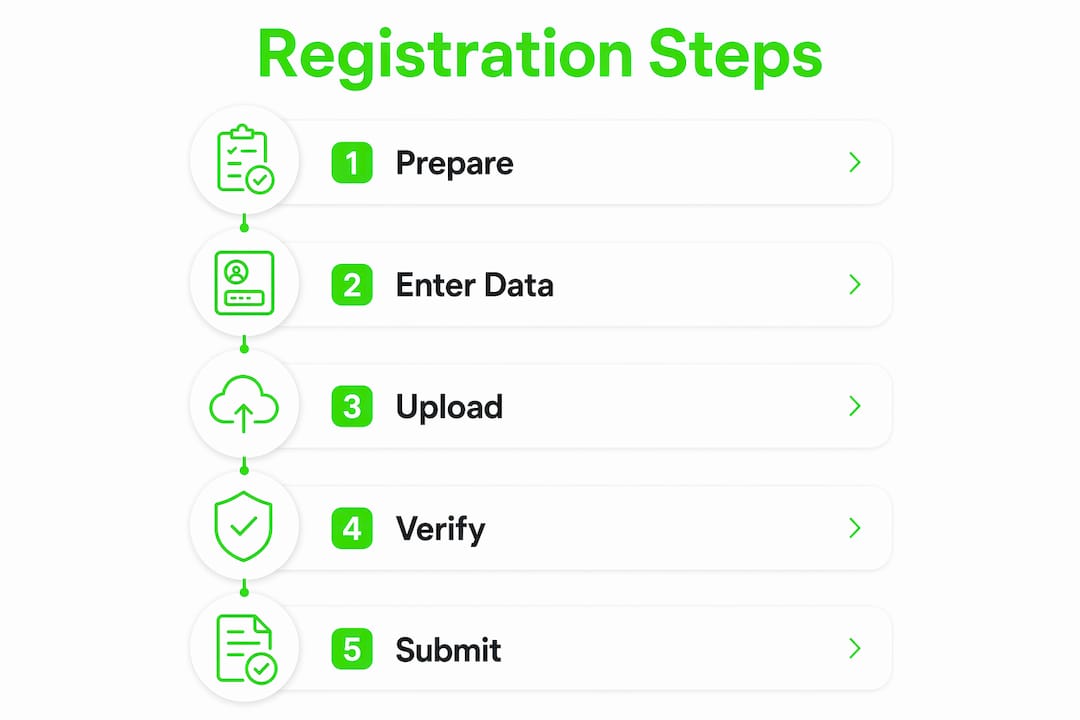
A typical online sign-up guide follows a predictable flow. Knowing each stage prevents confusion and reduces errors.
Access the official portal directly. Type the URL into your browser manually or use a bookmarked link. Avoid clicking search results from unfamiliar sources, since scam sites often rank near legitimate ones.
Create your account with minimal information first. Most standardized account setups require your name, email, phone number, and occasionally a security verification step. Do not fill in optional fields until you have confirmed your account is active.
Complete each form section carefully. Enter your name exactly as it appears on your ID. Do not use abbreviations, nicknames, or shortened versions. If your ID reads “Oluwaseun Adeyemi Babatunde,” enter all three names in the correct fields.
Upload your documents properly. Select the correct file from your device, then click the upload button to confirm the upload is complete. Many users select a file but forget to click “Upload,” leaving the field empty on submission.
Complete CAPTCHA and declaration checkboxes. These steps confirm you are a real person and that you agree to the platform’s terms. Skipping them blocks submission entirely.
Recognize the difference between “Continue” and “Submit.” The “Continue” button in multi-step forms does not mean final submission. Look for an explicit “Submit,” “Sign Up,” or “Complete Registration” button at the final step.
Save your confirmation details. After successful submission, take a screenshot of the confirmation page. Note your reference number, application ID, or tracking code. You will need this for follow-up.
Pro Tip: Before clicking “Submit,” review every field one final time. Pay special attention to your email address and phone number. A single wrong digit means you will never receive your OTP or confirmation email.
Clear progress bars and explicit call-to-action buttons give users confidence in multi-step forms and reduce abandonment. If a portal lacks a progress indicator, count the tabs or sections at the top of the page to gauge how far along you are.
How to handle verification steps and follow up after submission
Verification is where many registrations stall. Acting quickly and checking the right places keeps your application moving.
OTP validation
The OTP validation window is typically 10 minutes, and official processing can take up to 6 working days. This means you must have your phone in hand when you click “Send OTP.” Do not start this step if you are in a low-signal area or if your phone battery is low.
Email confirmation handling
- Check your inbox within 5 minutes of submitting your registration
- Search your spam or junk folder if no email arrives
- Whitelist domains like @agency.gov.ng in your email settings to prevent confirmation emails from being filtered out
- Add the sender’s address to your contacts immediately after receiving the first email
Tracking your application
Most government and business registration portals provide a reference number upon submission. Use this number on the portal’s status-check page to monitor progress. For platforms like the Corporate Affairs Commission (CAC) or the National Identity Management Commission (NIMC), processing typically takes a few days to one week under normal conditions.
Common follow-up errors to avoid
- Submitting duplicate applications because the first one appeared to fail
- Ignoring follow-up emails requesting additional documents
- Using a different email address for follow-up than the one used during registration
- Failing to respond to multi-party verification requests within the stated deadline
What are the most common challenges in online registrations?
Even well-prepared users hit obstacles. Knowing what to expect makes these problems easier to fix.
Name mismatches. Names entered must exactly match government-issued IDs character for character. A missing middle name, an extra space, or a nickname like “Tunde” instead of “Babatunde” will trigger a rejection.
File upload errors. Uploading a file that exceeds the size limit or is in the wrong format (e.g., PNG when only JPEG is accepted) causes silent failures. Always check the portal’s file requirements before uploading.
Expired OTPs. If you wait longer than the allowed window, the OTP expires. Request a new one and enter it immediately. Do not copy and paste from your SMS app if the field does not accept pasted input.
Misreading the form progress. Clicking “Continue” feels like finishing, but it only advances you to the next section. Treat the form as complete only when you see a confirmation screen with a reference number.
Scam portals are a real threat for Nigerian users. Manually bookmarking official government portals limits the risk of scams and ensures you access legitimate registration systems. If a site asks for payment to register for a free government service, close it immediately and report it.
Short forms with social login options enhance usability and completion rates. Where a portal offers “Sign in with Google” or “Sign in with Apple,” using that option reduces the number of fields you must fill manually and lowers the chance of entry errors. This approach can speed up registration by a significant margin compared to filling out every field from scratch.
For a deeper look at how to protect yourself online, Naijatipsland’s guide on avoiding internet scams covers the specific tactics used to target Nigerian users.
Key Takeaways
Completing an online registration successfully requires preparation, exact data entry, and prompt action on verification steps.
| Point | Details |
|---|---|
| Prepare documents first | Scan IDs and save files before opening any registration portal. |
| Match your legal name exactly | Enter your name character for character as it appears on your government-issued ID. |
| Act on OTPs immediately | The validation window is typically 10 minutes, so have your phone ready before requesting one. |
| “Continue” is not “Submit” | Look for an explicit Submit button and wait for a confirmation screen with a reference number. |
| Use official domains only | Verify .gov.ng or other trusted suffixes manually to avoid scam portals that charge fees. |
What I have learned from watching Nigerians register online
The most consistent pattern I see is that users rush the preparation stage and then spend hours fixing avoidable errors. Someone spends 20 minutes trying to resubmit a form because they uploaded a PNG file to a JPEG-only portal. That is a problem that a 30-second check of the requirements would have prevented.
The name-matching issue is particularly frustrating. Many Nigerians have names that appear differently across documents, such as a shortened version on an old birth certificate versus a full name on a NIN slip. My advice is to pick one authoritative document, usually your NIN or international passport, and use it as the single source of truth for every registration you complete. Keep a digital copy of that document on your phone and in cloud storage.
Bookmarking official portals is a habit worth building. I have seen users land on convincing fake sites because they clicked the third result on a search engine instead of typing the URL directly. The voter registration guide on Naijatipsland is a good example of how a clear, verified source can save you from that mistake for a high-stakes process.
Patience matters too. Government portals in Nigeria can be slow, and processing times vary. Submitting a duplicate application because the first one seemed stuck almost always creates more problems than it solves. Submit once, save your reference number, and follow up through the official channel after the stated waiting period.
— Naijatipsland
Naijatipsland: your guide for every registration process
Naijatipsland publishes detailed, up-to-date guides covering the registration processes Nigerians encounter most, from government document applications to community platform sign-ups. The platform’s community forum also lets you ask questions and get answers from users who have completed the same process.

Whether you are working through a passport application or signing up for a new online service, Naijatipsland keeps you informed with accurate, practical information. Bookmark the site and check back regularly for updated guides, troubleshooting tips, and the latest updates that affect Nigerian users online.
FAQ
What documents do I need for online registration in Nigeria?
The documents required depend on the platform. Government portals typically require your NIN slip, a passport photograph, and a utility bill. Social platforms usually need only a valid email address and phone number.
How long does online registration take to process?
Most social platform registrations complete within minutes. Official government registrations, such as those with NIMC or CAC, can take a few days to one week under normal processing conditions.
What should I do if my OTP expires before I enter it?
Request a new OTP immediately and enter it as soon as it arrives. The OTP validation window is typically 10 minutes, so keep your phone accessible before starting the verification step.
Why does my name get rejected during registration?
Name mismatches are the leading cause of registration rejections. Your name must match your government-issued ID exactly, including middle names, suffixes, and spacing.
How do I know if my online registration was successful?
A successful registration always produces a confirmation screen with a reference number or application ID. Take a screenshot of that screen and check your email for a confirmation message within a few minutes of submitting.