Submit Post
Date: April 15, 2026 5:44 am. Number of posts: 3,043. Number of users: 3,285.

Essential security tips: stay safe online as a Nigerian user


TL;DR:

  • Nigeria experiences over 3,500 cyberattacks every second, especially targeting young internet users.
  • Protect yourself by creating strong passwords, enabling two-factor authentication, and avoiding public Wi-Fi risks.
  • Act quickly and report incidents to authorities like NITDA, EFCC, or your bank to minimize damage from cyber threats.

Nigeria recorded 3,500 cyberattacks per second in 2023, making it one of the most targeted countries in Africa. If you browse social media, send money via apps, or shop online, you are already a potential target. Young Nigerians are especially at risk because they are the most active internet users in the country. The good news is that staying safe does not require expensive tools or a tech degree. This guide breaks down the most common threats you face, the foundational habits that protect you, what to do when something goes wrong, and how to build lasting digital confidence.

Table of Contents

Key Takeaways

PointDetails
Know key threatsUnderstanding common Nigerian cyber risks is the foundation for better security.
Protect your devicesSimple steps like using strong passwords and updating devices make a big difference.
Stay alert onlinePractical habits—such as verifying links and using VPNs—help prevent most attacks.
Act fast if attackedQuick reporting and verification limit losses from scams and fraud.
Education beats fearStaying informed enables safer, more confident online activity.

Understand common cyber threats in Nigeria

Knowing the scale of cybercrime, it is essential to recognize what you are up against. Nigeria has a unique cybercrime landscape shaped by local conditions, from widespread mobile money use to low digital literacy in some communities. The threats are real, frequent, and increasingly sophisticated.

The most common cyber threats Nigerian internet users face include:

  • Phishing (Yahoo Yahoo): Fraudulent messages designed to steal your login details or money
  • WhatsApp hacks: Attackers take over your account to scam your contacts
  • SIM swap fraud: Criminals convince your network provider to transfer your number to their SIM
  • Ransomware: Malicious software that locks your files until you pay
  • Fake investments: Ponzi schemes disguised as high-yield digital platforms
  • Public WiFi risks: Unsecured networks that allow attackers to intercept your data

Phishing via SMS and WhatsApp is especially rampant among young adults. You might receive a message claiming your BVN has expired, your bank account is frozen, or you have won a prize. These messages create urgency so you act before you think.

ThreatHow it reaches youWhat it targets
PhishingSMS, WhatsApp, emailPasswords, bank details
SIM swapPhone network providerOTPs, bank access
Fake investmentSocial media, messaging appsMoney
Public WiFi attackOpen hotspotsPasswords, browsing data
RansomwareDownloads, email attachmentsFiles, devices

Understanding fake news detection is closely linked to spotting phishing attempts, since both rely on misleading information designed to trigger a quick reaction. Young Nigerians should also be aware of cyberbullying risks that often accompany online fraud and harassment campaigns targeting youth.

Recognizing these threats is your first line of defense. Once you know the patterns, you stop reacting and start thinking.

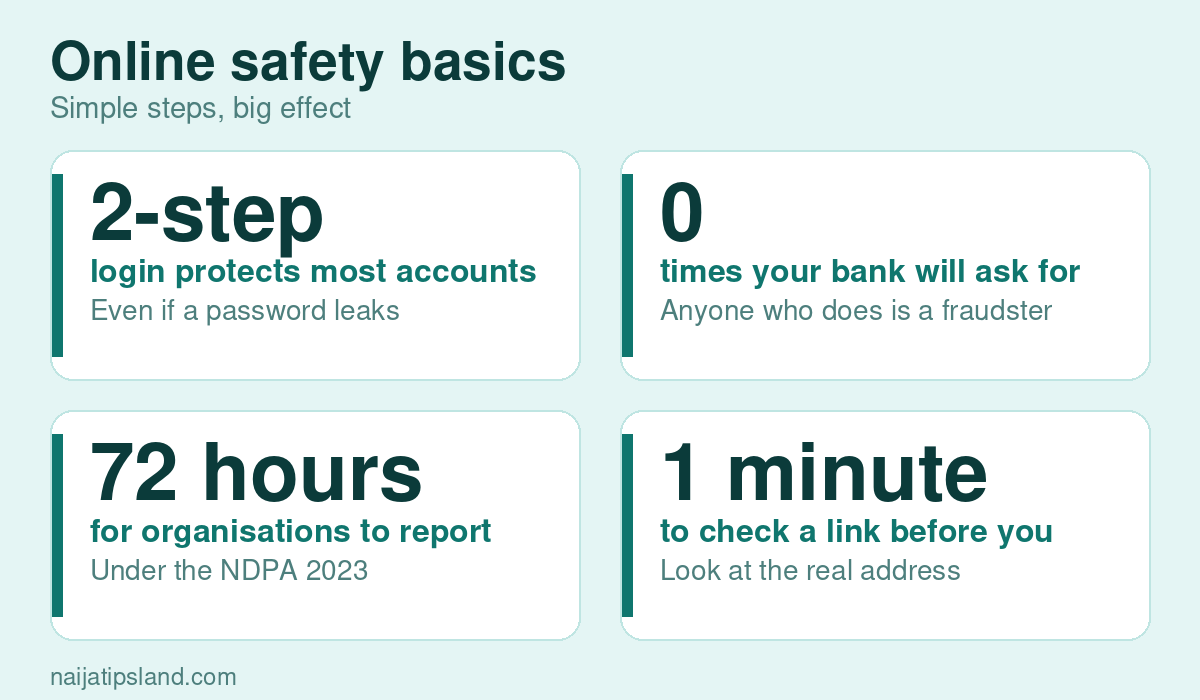
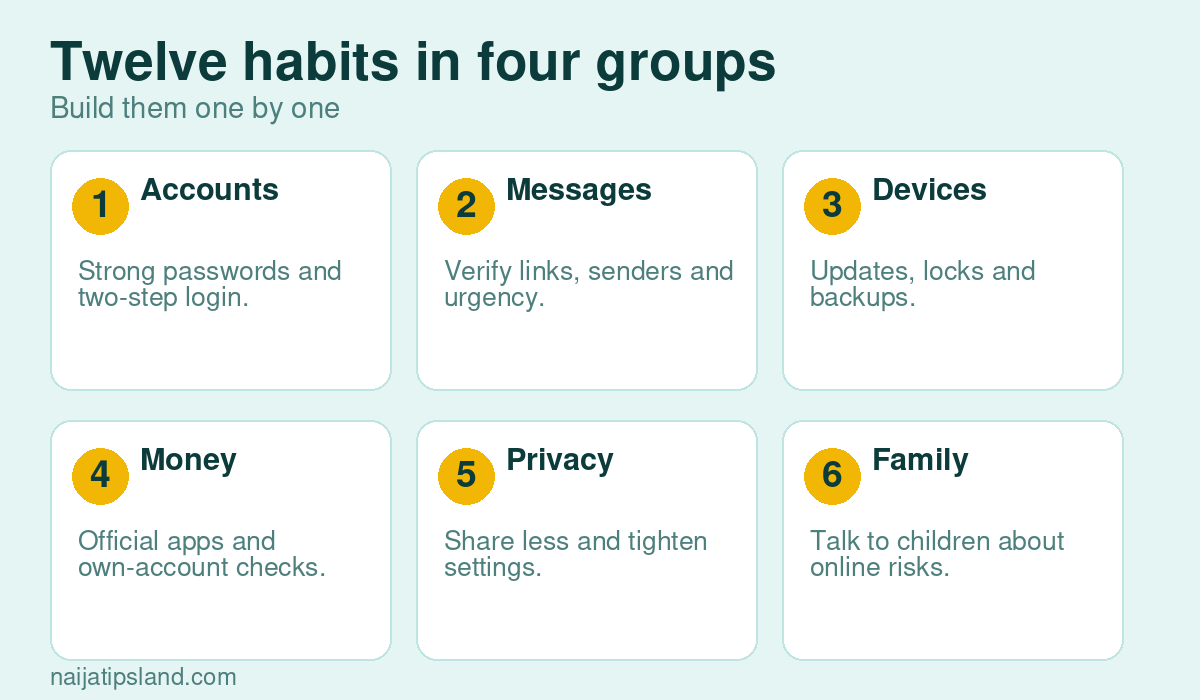
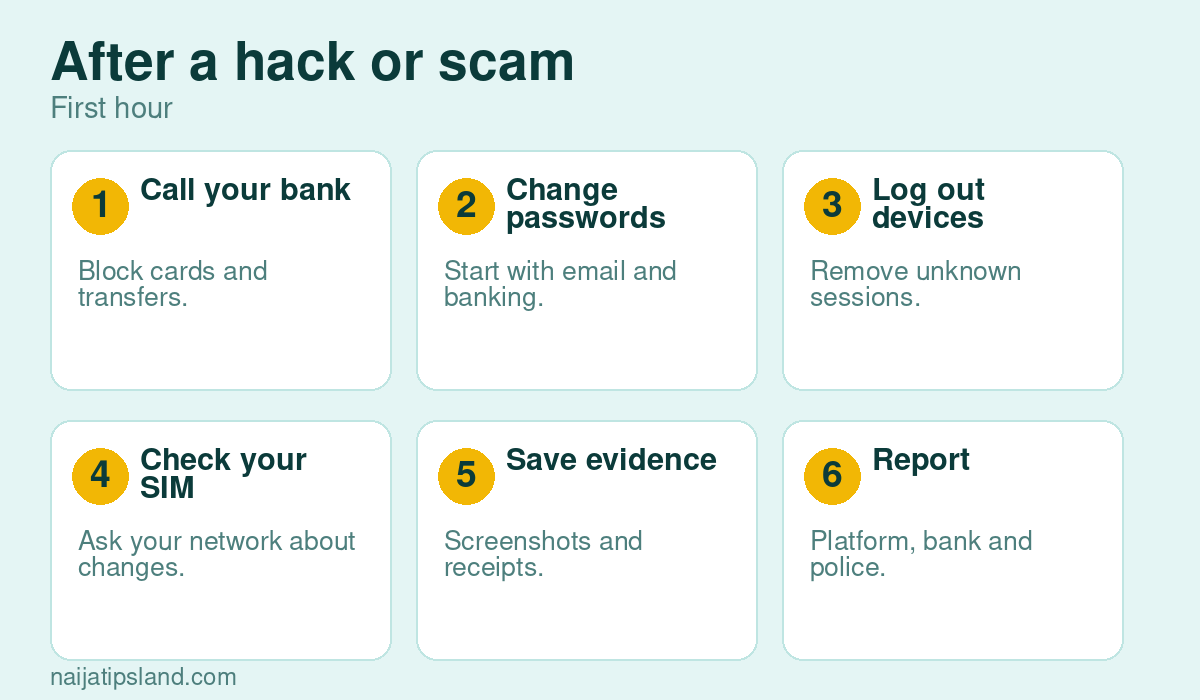
Infographic highlights major threats and safety tips

Start with the basics: Secure your devices and passwords

With an understanding of the threats, it is time to strengthen your key defenses. Most successful cyberattacks in Nigeria do not require advanced hacking. They succeed because users have weak passwords, outdated software, or no screen lock on their phones.

Here is how to build a solid foundation:

  1. Create strong, unique passwords for every account. Use a mix of uppercase letters, numbers, and symbols. Never reuse a password across multiple sites.
  2. Use a password manager like Bitwarden or Google Password Manager to store and generate secure passwords without memorizing them all.
  3. Enable two-factor authentication (2FA) on your email, social media, and banking apps. This adds a second verification step even if someone gets your password.
  4. Keep your device software updated. Updates patch security vulnerabilities that attackers exploit.
  5. Set a screen lock using a PIN, fingerprint, or face recognition on every device you own.
  6. Link your SIM to your NIN (National Identification Number). SIM swap fraud bypasses OTPs, and NIN linkage adds a layer of identity verification that makes it harder for fraudsters to clone your number.
ActionRisk level if skippedDifficulty to implement
Strong passwordVery highLow
2FA activationHighLow
NIN-SIM linkageHighLow
Software updatesMediumVery low
Screen lockMediumVery low

For financial security, only use trusted fintech apps that are licensed by the Central Bank of Nigeria. Unlicensed apps can harvest your data or disappear with your funds.

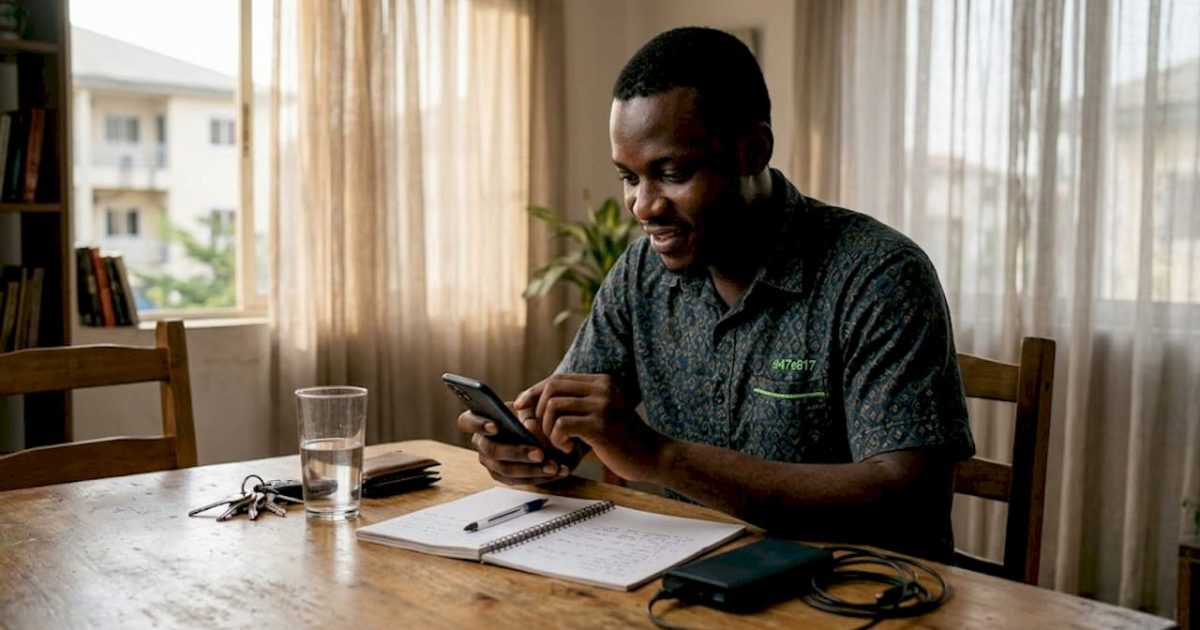
Nigerian woman uses secure banking app at home

Pro Tip: Do not use your phone number as a password recovery option alone. If your SIM is swapped, an attacker can reset all your accounts. Use an authenticator app like Google Authenticator instead.

Smart habits: Stay safe while using the internet

Beyond basics, applying safe habits every day dramatically reduces your risk. Security is not just about what you install. It is about how you behave online, especially in everyday situations like buying and selling, browsing on the go, or chatting on WhatsApp.

Here are the habits that matter most:

  • Never click links in unsolicited SMS or WhatsApp messages. Type URLs directly into your browser instead.
  • Verify bank alerts in your banking app, not via SMS. Fake bank alerts are common in peer-to-peer (P2P) transactions. A scammer can send a convincing fake credit alert before you release goods.
  • Wait at least two minutes before confirming a P2P payment. Check your actual bank balance in your app, not a screenshot or forwarded message.
  • Use a VPN on public WiFi. Public WiFi without a VPN exposes your passwords and browsing activity to anyone on the same network.
  • Avoid entering sensitive information like your BVN, ATM PIN, or passwords on public computers or unsecured sites.
  • Check for HTTPS in the URL before entering any personal or financial data on a website.

“Always verify bank transactions in your own app, not screenshots or SMS. A two-minute wait before releasing goods in any P2P sale could save you from losing money to a fake alert.”

For guidance on safe money transfers, especially when sending funds across platforms or borders, make sure you use verified channels and confirm receipt before completing any transaction.

Pro Tip: Save your bank’s official customer care number in your phone right now. When you get a suspicious call claiming to be from your bank, you can immediately cross-check using the saved number instead of calling back on a number the caller provides.

When things go wrong: How to react to cyber incidents

Even with precaution, incidents can happen. Knowing how to react helps limit damage. The first few minutes after discovering a cyberattack or fraud are the most critical. Acting fast and in the right order can protect your money and identity.

If you suspect account compromise or receive a fake bank alert:

  1. Do not panic. Calm action is more effective than rushed decisions.
  2. Log into your banking app immediately and check your actual balance. Do not rely on SMS notifications.
  3. Change your passwords for the affected accounts from a secure device.
  4. Contact your bank’s fraud line to freeze the account if unauthorized transactions occurred.
  5. Document everything: screenshots, message logs, transaction records, and dates.
  6. Report to the relevant authorities as quickly as possible.

Where to report cybercrime in Nigeria:

  • NITDA (National Information Technology Development Agency): For data breaches and digital fraud
  • EFCC (Economic and Financial Crimes Commission): For financial fraud and internet scams
  • NCC (Nigerian Communications Commission): For SIM swap fraud and telecom-related crimes
  • Nigeria Police Force: For general cybercrime reports
  • Your bank’s fraud desk: For unauthorized transactions

Report incidents to NITDA, EFCC, NCC, the police, and your bank’s fraud line if money is involved. Prompt reporting increases the chance of recovery and helps authorities track patterns.

“Documenting the incident before reporting gives investigators the evidence they need. A screenshot taken immediately is worth more than a memory recalled days later.”

You should also see legal protections available to you under Nigerian law. The Cybercrimes Act 2015 provides real legal recourse for victims of online fraud, and knowing your rights strengthens your position.

Why awareness beats paranoia: Our take on staying safe online

These action steps help you respond. But a deeper mindset shift makes online security second nature. Most people approach cybersecurity from a place of fear, and that fear either leads to paralysis or overreaction. Neither helps.

The truth is, you do not need to be scared of the internet. You need to be informed about it. Every scam that targets Nigerians online works because it exploits either urgency or ignorance. When you slow down and ask questions, most attacks fail immediately.

Digital confidence grows with knowledge, not gadgets. You do not need the latest phone or the most expensive antivirus to stay safe. You need consistent, small habits applied every day. That is it.

There is also a bigger picture here. The EFCC actively encourages youth to build legitimate digital skills rather than pursue fraud. And they are right. The same energy that goes into running a scam can build a real career in tech, cybersecurity, or digital marketing. Legitimate skills make you stronger and more employable than any shortcut.

Practicing spotting fake news sharpens the same critical thinking that protects you from phishing. These skills compound over time. Security awareness is not a one-time checklist. It is a habit you build, and it pays off every single day.

Stay safe and engage smartly: Resources from Naijatipsland

Having a smart strategy is great, but having the right support and information makes success sustainable. Naijatipsland.com is built for Nigerians who want to stay informed, connected, and protected online.

https://naijatipsland.com

Whether you want to discuss the latest cybersecurity developments, share experiences, or learn from others, you can start safe online forums right on the platform. Before you engage, brush up on forum respect online so your contributions are taken seriously and your reputation stays intact. From security guides to community discussions, more online guides are available to help you navigate the Nigerian internet safely and confidently. Your digital safety starts with the right information, and Naijatipsland is here to provide it.

Frequently asked questions

What is the safest way to check a bank alert in Nigeria?

Always verify in your banking app or via USSD, not SMS or screenshots. Wait at least two minutes before confirming any P2P payment to ensure the transaction is real.

How do I report online fraud or scams in Nigeria?

Contact NITDA, EFCC, NCC, the police, and your bank’s fraud desk immediately. Reporting quickly increases the chance of recovering lost funds and stopping the fraudster.

Which threats target Nigerian internet users the most?

Phishing, WhatsApp hacks, SIM swap fraud, ransomware, fake investments, and public WiFi risks are the most common threats facing Nigerian internet users today.

How can I prevent SIM swap fraud?

Link your SIM to your NIN and monitor your phone for sudden loss of network service, which is often the first sign that a SIM swap has occurred.

NTL
We will be happy to hear your thoughts

      Leave a reply

      Nigeria's Fast-Growing Online Forum for News & Discussions
      Logo
      1